Apple TV Box: What Does It Actually Do?

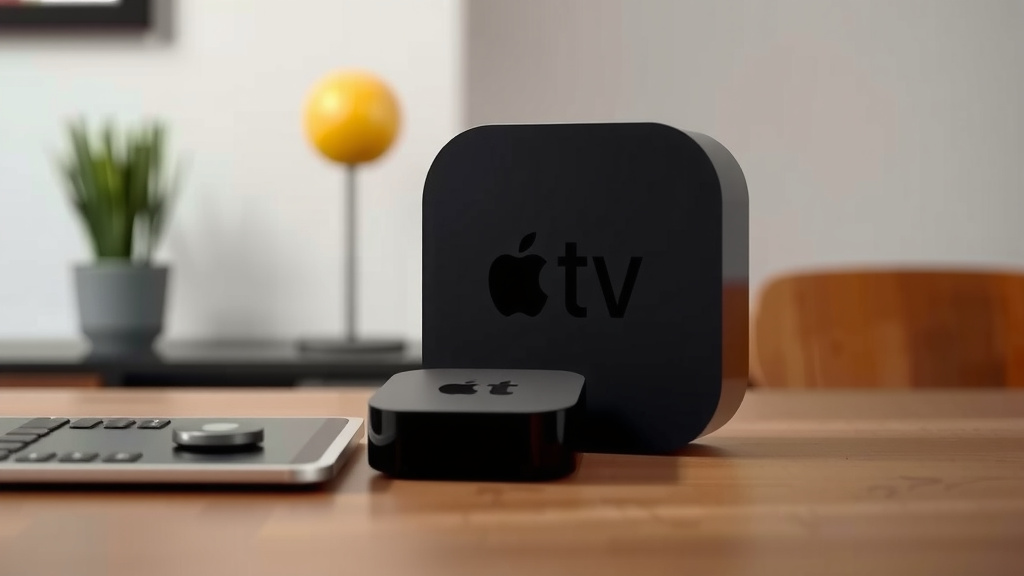
An Apple TV Box is a streaming media player that connects to your television. It lets you watch movies, TV shows, and play games from various apps and services. Think of it as a smart hub for your entertainment.
You can access popular streaming platforms like Netflix and Hulu. It also offers Apple’s own services, such as Apple TV+ and the App Store. This device helps you stream content in high definition, making your TV experience much richer.
- Apple TV Box streams movies and shows from apps.
- It brings services like Netflix, Hulu, and Apple TV+ to your TV.
- You can play games and access many other entertainment apps.
- It supports high-definition streaming for a better viewing experience.
We found that understanding what your Apple TV Box can do opens up a whole new world of home entertainment. Let’s walk through exactly how this works step by step.
Understanding Your Apple TV Box’s Capabilities
So, you’ve got an Apple TV box, and you’re wondering what exactly this little gadget can do for your home entertainment setup. We’ve been there, and it’s an exciting discovery! Think of it as a super-powered remote control and smart hub rolled into one. It transforms your regular TV into a smart TV, bringing a universe of content right to your living room with incredible ease.
Connecting You to a Universe of Entertainment
At its core, your Apple TV box is all about content delivery. It connects to your home Wi-Fi and then acts as a gateway to various streaming services and apps. This means you can access a vast library of movies, TV shows, live sports, and so much more without needing multiple cables or devices.
Streaming Your Favorite Shows and Movies
The most common use for an Apple TV box is streaming. You can download apps for almost every major streaming service. Want to catch up on Netflix? No problem. Need to binge that new series on Hulu? Your Apple TV box has you covered. We found that setting up these apps is typically straightforward, often just requiring you to log in with your existing account details.
- Access popular services like Netflix, Hulu, Disney+, HBO Max, and Amazon Prime Video.
- Stream content from niche services you might enjoy.
- Enjoy live TV options through various channel provider apps.
Apple’s Own Entertainment Ecosystem
Apple TV+ is a major draw for many users. This subscription service features exclusive, award-winning original series and films. But it’s not just about Apple TV+. Your Apple TV box also seamlessly integrates with other Apple services you might already use. This includes purchasing or renting movies and TV shows from the iTunes Store directly on your television.
Beyond Just Watching: Interactivity and Apps
While streaming is king, your Apple TV box offers much more than just passive viewing. It opens up a world of interactive entertainment and useful applications.
Gaming on the Big Screen
Did you know you can play games on your Apple TV box? The App Store on Apple TV features a growing library of games, from casual puzzles to more immersive experiences. Many games support controllers, giving you a console-like feel right from your couch. We found that the selection caters to a wide range of players, making it a fun addition for families and solo gamers alike.
Exploring the App Store
The App Store on Apple TV is surprisingly robust. Beyond streaming and gaming, you can find apps for fitness, educational content, news, and even music visualization. It’s like having a curated app store specifically designed for your television screen. Many experts suggest that exploring these apps can significantly enhance your TV’s functionality (Apple Support).
Fitness and Wellness Apps
For those looking to stay active at home, fitness apps on Apple TV can be a fantastic resource. You can follow guided workouts, track your progress, and even participate in live classes. These apps often offer a more engaging experience than watching a workout video on a laptop, as they utilize your TV’s larger display.
Enhanced Viewing Experiences
Apple TV boxes are designed to deliver high-quality content. They support various high-definition formats, ensuring your movies and shows look as crisp and vibrant as possible.
High-Definition and Beyond
Most Apple TV models support 4K resolution and High Dynamic Range (HDR), including Dolby Vision and HDR10. This means you get incredibly sharp images with a wider range of colors and contrast. For content available in these formats, the visual difference can be truly stunning. We found that many newer TVs are already HDR-compatible, so your Apple TV box can take full advantage of your display’s capabilities.
Immersive Audio with Dolby Atmos
For an even more cinematic experience, many Apple TV boxes also support Dolby Atmos surround sound. This technology creates a three-dimensional audio space, making sounds appear to come from all around you, including overhead. If you have a compatible sound system, this can dramatically enhance your movie-watching or gaming sessions.
Smart Home Integration and Siri
Your Apple TV box isn’t just about entertainment; it can also be a central point for your smart home. If you have other Apple devices, you can use your Apple TV as a home hub.
Controlling Your Smart Home Devices
With Apple TV acting as a home hub, you can remotely control HomeKit-enabled accessories like smart lights, thermostats, and security cameras. This means you can adjust your home’s environment or check on things, even when you’re away from home, using your iPhone or iPad. Many users find this integration incredibly convenient for managing their connected home (Apple Support).
Using Siri for Voice Control
The Siri Remote that comes with your Apple TV box features voice control. You can ask Siri to open apps, play specific shows, control playback (like pausing or rewinding), search for content across multiple services, and even control your smart home devices. It’s a hands-free way to interact with your entertainment system. We found that for quick searches or commands, Siri is remarkably responsive and helpful.
Content Sharing and Personalization
Apple TV boxes are excellent for sharing content and personalizing your viewing experience.
AirPlay for Wireless Streaming
AirPlay is a feature that allows you to wirelessly stream content from your iPhone, iPad, or Mac directly to your TV via the Apple TV box. This is perfect for sharing photos, videos, or even mirroring your screen for presentations or casual gaming. It’s a simple way to get content from your Apple devices onto the big screen.
User Profiles and Recommendations
Your Apple TV box learns your viewing habits. Over time, it provides personalized recommendations for shows and movies you might like. If multiple people use the Apple TV, some apps and the Apple TV app itself can support different user profiles, tailoring suggestions for each person. This helps you discover new content without endless scrolling.
A Checklist for Getting the Most Out of Your Apple TV Box
Ready to dive deeper? Here are a few things to try:
- Download your favorite streaming apps.
- Explore the App Store for games and other entertainment.
- Try AirPlay from your iPhone or iPad.
- Set up Siri commands for quicker access.
- Check for 4K and HDR content to maximize your picture quality.
- Investigate smart home control features if you have HomeKit devices.
Conclusion
Your Apple TV box is much more than just a streaming device. We’ve seen how it transforms your TV into an entertainment hub. You can stream your favorite shows, dive into Apple’s original content, and even play games. It enhances your viewing with stunning 4K and HDR quality and immersive audio. Plus, it can even help manage your smart home and offers intuitive voice control with Siri. Ready to experience everything your Apple TV has to offer? Start by downloading a few new apps you haven’t tried before and see what you discover.
Frequently Asked Questions
Does an Apple TV Box require a separate subscription for each app?
No, the Apple TV box itself doesn’t require separate subscriptions for each app. You will need individual subscriptions for most streaming services like Netflix or Disney+, but the box acts as the gateway. You just log in to your existing accounts.
Can I use my Apple TV box without an Apple ID?
While you can technically set up an Apple TV box without an Apple ID, its functionality will be severely limited. You won’t be able to download apps from the App Store, access Apple services, or make purchases, which are core features.
Is Apple TV good for gaming?
Yes, Apple TV offers a good gaming experience for many users. The App Store has a variety of games, and some support controllers for more immersive play. It’s great for casual gaming and family fun right on your TV.
What’s the difference between Apple TV+ and Apple TV?
Apple TV+ is a subscription streaming service featuring original shows and movies. Apple TV (the box) is the physical hardware device that connects to your TV and allows you to access Apple TV+ along with many other streaming apps and services.
How do I get the best picture and sound quality on my Apple TV?
To get the best quality, ensure your Apple TV is set to output 4K, HDR, and Dolby Atmos if your TV and sound system support them. You’ll also need to check that the content you’re watching is available in these high-quality formats.