Streaming 101: How a TV Box Works to Upgrade Your Entertainment
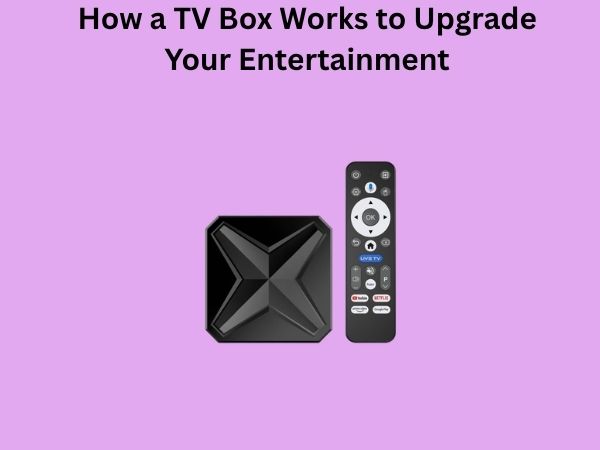
When you hear the term “TV box,” you might picture a small device sitting beneath your television. But what does it actually do? Think of a TV box as the bridge between the vast world of digital content and your living room screen. It’s essentially a compact computer designed specifically for streaming entertainment directly to your television set.
A TV box transforms your regular television into a smart entertainment hub. Instead of being limited to cable channels or whatever happens to be broadcasting, you gain access to thousands of movies, TV series, documentaries, and live events. It’s like upgrading from a library with a hundred books to one with millions at your fingertips.
The Core Technology Behind Your TV Box
Processing Power and the Central Processor
Every TV box contains a processor, which serves as its brain. This specialized chip handles all the computing tasks your device needs to perform. Whether you’re scrolling through menus, launching applications, or streaming content in ultra-high definition, the processor makes it all happen.
Modern TV boxes use different processor types depending on their price range and intended use. High-end models might feature quad-core or even octa-core processors, offering faster performance and smoother operation. Budget-friendly options work with simpler processors that still deliver adequate performance for everyday streaming needs.
Memory and Storage Capabilities
Your TV box needs two types of memory: RAM and storage. RAM, or random-access memory, is like your box’s short-term memory. It helps your device handle multiple tasks simultaneously without stuttering or freezing. Most modern TV boxes come with anywhere from 1GB to 4GB of RAM.
Storage is different—it’s your box’s long-term memory. This is where apps, updates, and downloaded content live. Typical TV boxes offer between 8GB and 64GB of internal storage. Some devices even include expandable storage through microSD cards, giving you room to grow your collection of downloaded shows and movies.
Graphics Processing for Visual Excellence
The graphics processing unit, or GPU, is what makes your streaming experience visually stunning. It handles all the rendering duties, ensuring smooth playback of high-definition and 4K content. A powerful GPU means better video quality, faster loading times, and more fluid menu navigation.
Connectivity: How Your TV Box Communicates
Internet Connection Methods
For a TV box to stream content, it needs internet access. Most boxes offer multiple connectivity options to suit different home setups. WiFi is the most common choice, allowing wireless connection to your home network. This is convenient if your TV isn’t near your router.
Ethernet connections provide another option. If your TV box sits close to your router, a wired ethernet connection can offer faster speeds and more stable performance. Some users prefer this method for 4K streaming, where bandwidth demands are higher.
Newer TV boxes sometimes include mobile hotspot capabilities, allowing them to connect through your smartphone’s internet when needed. This flexibility means you’re never truly cut off from your content.
Display Output Options
Your TV box needs to send video to your television somehow. Modern boxes primarily use HDMI cables, the standard for digital video transmission. HDMI carries both high-quality video and audio through a single cable, simplifying your setup considerably.
Older TV boxes might include composite or component video connections for compatibility with vintage televisions. Some models also feature optical audio outputs if you’re connecting to a dedicated sound system.
The Operating System: Your Box’s Digital Foundation
Android TV and Its Advantages
Many TV boxes run Android TV, Google’s operating system optimized for television viewing. If you’ve used an Android smartphone, the interface will feel familiar. This operating system provides access to the Google Play Store, where you can download countless streaming applications.
Android TV excels at customization. You can arrange your home screen however you like, adding shortcuts to your favorite apps and services. Voice search functionality through Google Assistant makes finding content as simple as speaking your request.
Other Operating Systems
Not all TV boxes use Android. Some manufacturers develop their own proprietary systems optimized for their hardware. Apple TV uses tvOS, a streamlined operating system designed exclusively for Apple’s ecosystem. Roku devices run their own lightweight operating system known for speed and simplicity.
Each system has its strengths. tvOS integrates seamlessly with other Apple devices. Roku’s platform is renowned for its straightforward navigation. Android TV offers the widest app selection. Your choice might depend on which ecosystem you already use or which features matter most to you.
Understanding Streaming Protocols and Standards
Video Compression and Resolution
When content travels from Netflix’s servers to your living room, it doesn’t arrive as a massive, uncompressed file. Instead, it’s compressed using special algorithms that reduce file size while maintaining visual quality. This is where technical terms like HEVC and H.264 come into play.
Your TV box decodes these compressed signals, converting them into images your television can display. The resolution—whether standard definition, full HD, or 4K—depends on both the content available and your box’s capabilities.
Audio Formats and Surround Sound
Audio travels alongside video through your TV box. Modern devices support various audio formats, from basic stereo to immersive surround sound technologies like Dolby Atmos. If you have a quality sound system at home, your TV box can send enhanced audio directly to it, elevating your entire entertainment experience.
How Content Actually Gets to Your TV Box
The Streaming Pipeline
Have you ever wondered what happens the moment you press play on a movie? It’s a fascinating journey. Your TV box sends a request to Netflix, Amazon Prime, or another streaming service. Their servers recognize your request and begin sending video data across the internet.
Your box receives this data and buffers it temporarily in its RAM. Buffering means storing a small amount of content in advance, ensuring playback remains smooth even if your internet connection fluctuates slightly. While your box plays the content it already has, it’s simultaneously downloading more data in the background.
Adaptive Bitrate Streaming
Here’s where modern streaming gets clever. If your internet connection slows down, your TV box detects this and automatically switches to lower-quality video. The image quality drops slightly, but playback remains uninterrupted. When your connection improves, the quality automatically increases again.
This invisible adjustment happens constantly, adapting to your network conditions in real time. It’s why streaming services can work reasonably well even on imperfect internet connections.
Setting Up Your TV Box: A Practical Guide
Physical Installation and Connections
Setting up your TV box is straightforward. First, position it near your television. Connect the HDMI cable from your box to your TV’s HDMI input. Plug in the power adapter, and your device springs to life.
Consider placement carefully. TV boxes generate heat during operation, so ensure proper ventilation around the device. Avoid stacking other equipment on top of it. If you’re using wireless internet, position it with reasonable line-of-sight to your router for optimal signal strength.
Software Setup and Configuration
After powering on, your TV box guides you through initial setup. You’ll select your language, connect to your WiFi network, and agree to terms of service. Create or sign into your account, and you’re ready to start downloading apps.
Most users immediately download their favorite streaming applications. Whether it’s Netflix, YouTube, Disney Plus, or specialized services, you can customize your box to match your entertainment preferences. Sign into each app using your existing credentials.
Popular Streaming Services and App Compatibility
The beauty of most TV boxes is their flexibility regarding available content. Whether you’re interested in movies, television shows, sports, documentaries, or niche content, there’s likely an app for it. Major streaming services like Netflix, Prime Video, and Disney Plus run on virtually every modern TV box.
Beyond big names, you’ll find specialized apps for specific interests. Documentary enthusiasts can access platforms dedicated to educational content. Sports fans can install apps for various leagues and networks. Music lovers can stream from services like Spotify or YouTube Music.
Keep in mind that app availability varies slightly between platforms. Android TV typically offers the widest selection since it uses the Google Play Store. Other platforms might have smaller app libraries, though they include all the major services.
Performance Considerations and Optimization
Internet Speed Requirements
Different streaming quality levels demand different internet speeds. For standard definition streaming, you might get away with 2.5 Mbps. Full HD typically requires 5 Mbps, while 4K streaming needs at least 25 Mbps.
These are minimum speeds. In reality, many households share their internet bandwidth among multiple devices. If someone’s downloading files upstairs while you’re streaming downstairs, both activities suffer. For reliable 4K streaming in a household with multiple devices, 50 Mbps or higher is ideal.
Storage Management
Over time, apps and cached data accumulate on your TV box. This can slow performance. Periodically clear your cache and remove unused apps. Most TV boxes include built-in tools for managing storage, usually found in settings.
Advantages of Using a TV Box for Your Entertainment
Why have TV boxes become so popular? The advantages are numerous. First, they’re affordable compared to purchasing new smart televisions. If your existing TV is perfectly good, a TV box adds smart features without replacement costs.
Second, they’re flexible. Unlike smart TVs, which lock you into the manufacturer’s app ecosystem, many TV boxes let you choose your preferred apps and services. You’re not dependent on your TV’s operating system.
Third, they’re upgradeable. Technology moves fast. While your TV will last many years, you can upgrade your TV box when new models with better performance arrive. This keeps your entertainment setup current without discarding older hardware.
- Access to thousands of streaming apps and services
- Cost-effective upgrade for existing televisions
- Easy customization of your entertainment experience
- Support for high-quality video and audio formats
- Regular software updates with new features
- Compatibility with various input devices like keyboards and controllers
- Potential for expanding capabilities through external storage
Common Challenges and How to Overcome Them
Buffering and Streaming Issues
Sometimes your perfect streaming experience faces interruptions. Buffering occurs when your internet connection can’t keep pace with your video’s bitrate. The solution usually involves checking your WiFi signal strength. Move closer to your router or consider switching to a wired ethernet connection.
Alternatively, reduce video quality temporarily. Most apps include settings allowing you to manually select streaming quality rather than letting it adapt automatically.
App Crashes and Software Glitches
Occasionally, apps misbehave. Before panicking, try restarting your TV box. Power cycling often resolves minor software issues. Hold the power button for ten seconds until the device fully shuts down, then turn it back on.
If problems persist, check for available software updates. Developers constantly release patches addressing bugs and improving performance. Most TV boxes automatically update, but you can manually check in settings if needed.
Advanced Features Worth Exploring
Voice Control Capabilities
Many modern TV boxes include voice remote controls. Simply speak into your remote, and your box understands commands. Search for content by voice, launch apps, adjust volume, or navigate menus without touching the physical buttons.
This hands-free approach makes finding entertainment effortless. No more hunting through menus or struggling with traditional remote navigation.
Screen Mirroring and Casting
Your TV box can receive content from other devices. Use screen mirroring to display your smartphone or computer on your television. This is perfect for sharing photos, browsing the web on a bigger screen, or playing mobile games on your TV.
Casting works similarly, allowing apps on your phone to send content directly to your box. Start watching a YouTube video on your phone, then cast it to your TV to continue on the bigger screen.
The Future of TV Box Technology
TV boxes continue evolving. Manufacturers are developing faster processors, improving AI capabilities, and adding support for emerging technologies. Future models will likely feature even better voice recognition, enhanced AI recommendations, and deeper integration with smart home systems.
As internet speeds increase globally, we can expect higher streaming quality standards and potentially virtual reality entertainment options. The TV box will remain central to how we consume media, constantly adapting to new possibilities.
Conclusion
Understanding how a TV box works transforms you from a passive user into an informed consumer. These devices are sophisticated pieces of technology, combining processors, memory, operating systems, and connectivity into compact packages that revolutionize how we watch television. They bridge the gap between traditional broadcast television and the unlimited possibilities of streaming entertainment.
Whether you’re upgrading an older television or enhancing your entertainment setup, a TV box offers affordable, flexible access to countless streaming services and applications. From handling complex video compression to managing multiple simultaneous processes, your TV box works tirelessly behind the scenes, delivering the entertainment you love with the quality you expect.
The journey from content servers across the internet to your living room screen involves remarkable technology. The next time you press play on your favorite show, you’ll understand the invisible machinery making it all possible. Your TV box isn’t just a small device sitting under your television—it’s a gateway to entertainment possibilities limited only by your imagination and internet connection.
Frequently Asked Questions
Do I need a high-end TV box to enjoy streaming, or will a budget model suffice?
The answer depends on your priorities and content preferences. Budget TV boxes handle standard definition and full HD streaming exceptionally well. If you mostly watch movies and television shows in 1080p resolution, a budget model provides excellent value. However, if you’re interested in 4K streaming or run many apps simultaneously, investing in a mid-range or higher model provides better performance and longevity. Consider your internet speed and the resolution capability of your television when deciding.
Can I use a TV box without a subscription to streaming services?
Absolutely. While most people subscribe to services like Netflix or Prime Video, many free options exist. YouTube, Pluto TV, Tubi, and numerous other platforms offer content without paid subscriptions, though they typically include advertisements. Your TV box opens doors to this entire ecosystem. Many free services offer quality content spanning movies, documentaries, and television shows.
How often do TV boxes need updates, and what do these updates do?
Most TV boxes receive software updates monthly or quarterly, though this varies by manufacturer. Updates improve performance, fix security vulnerabilities, add new features, and enhance app compatibility. Your box usually updates automatically when connected to power and internet overnight. You can also manually check for updates in settings. These updates are essential for maintaining security and ensuring your device runs optimally.
What internet speed do I really need for reliable 4K streaming?
Netflix recommends at least 25 Mbps for 4K streaming on a single device. However, real-world performance depends on several factors. Your actual connection speed, WiFi interference